On this page
Content reviewed for v0.179.0. See changes since your version.
The Address Book
Press 4 for Contacts. ThreeStrands builds a record of who you correspond with from your mail. Save someone as a contact to add details, and press Tab to switch between All Contacts, Keep in Touch, and Groups.
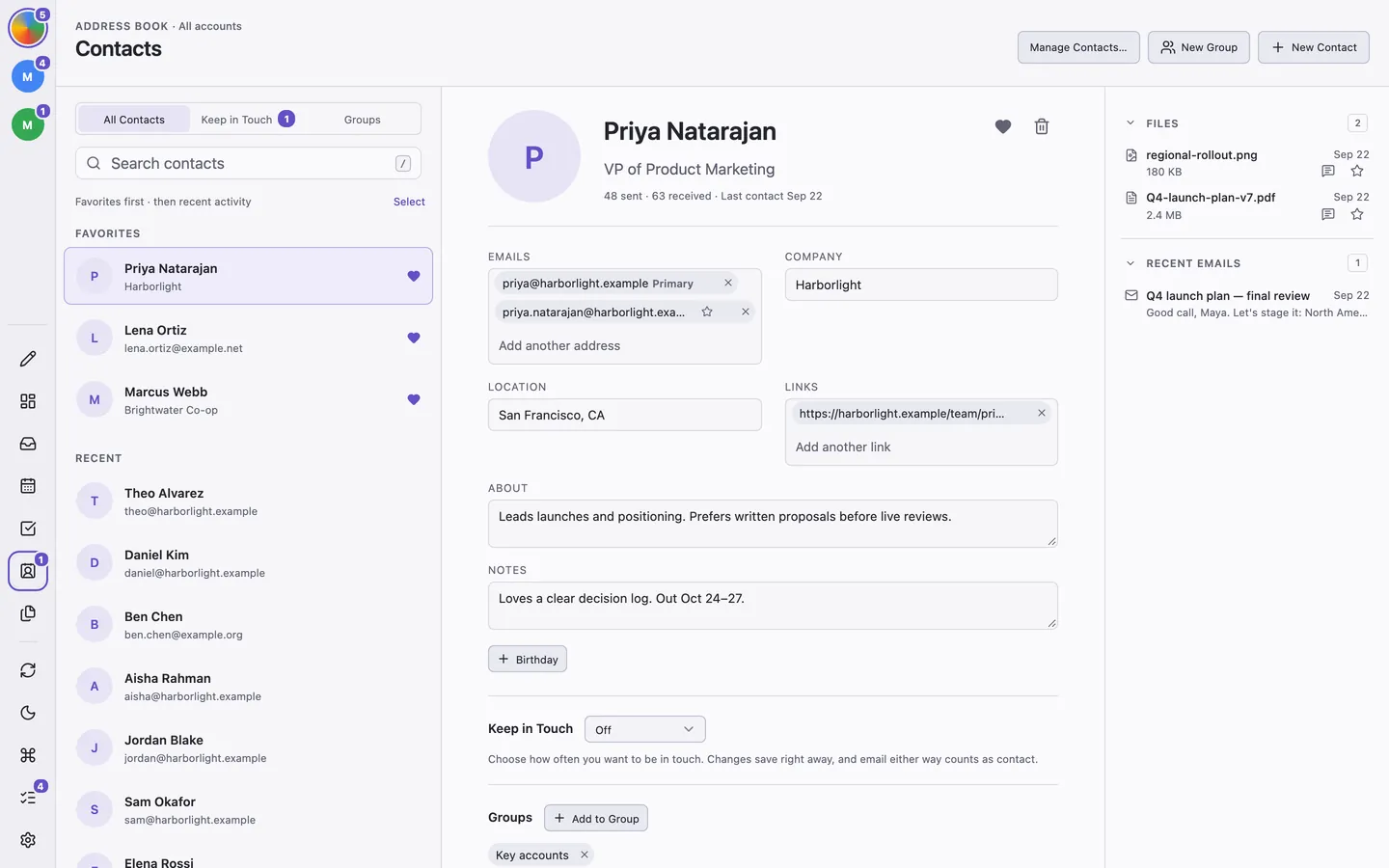
Click New Contact to add someone. A profile can hold several email addresses, a role and company, location, birthday, links, notes, and a photo. Click the heart to make someone a favorite; favorites appear first.
The conversation side panel's recent emails and shared files follow the message you are reading or the recipients you are writing to.
Groups
Click New Group to create one, then Add Members. Email Group starts a new message to everyone in the group. Typing a group's name in To or Cc also offers the whole group, which expands into individual recipients.
Keep in Touch
Set a Keep in Touch frequency on a profile, from weekly to yearly or a custom number of days. Email in either direction counts as being in touch. The Keep in Touch view groups people as Overdue, Due Today, This Week, and Later, and shows upcoming birthdays.
Use Mark Contacted when you've talked another way, or Snooze a reminder for a while. The Contacts icon in the sidebar shows how many people are due. Due reminders also appear in Today (0) beside your tasks and agenda; click a person to open their profile.
Merge Duplicates
Click Select, choose two or more contacts, and choose Merge…. Pick the profile to keep; addresses, notes, links, favorites, and groups are combined.
Import and Export
Open Manage Contacts…:
- Import CSV or vCard… shows a preview first. Records that share an email address with an existing contact are skipped.
- Export CSV or vCard… writes an unencrypted file of your saved profiles. Photos, groups, and Keep in Touch settings aren't included.
- Manage recipient suggestions… stops an address from being suggested when you write, on this computer only.