On this page
Content reviewed for v0.179.0. See changes since your version.
Create a Task
- From a conversation — press d, or click + Add task in the conversation's Tasks section. The task stays linked to the conversation.
- On its own — press 3 for Tasks and click Add Task.
- From a promise — Today lists things you said you would do in your sent mail under You said you would; turn one into a task from there.
Each task has a Type:
- Action — something you need to do.
- Follow Up — something to chase. Follow-ups can repeat every few days.
- Waiting for Reply — something you're waiting on from someone else.
A follow-up or waiting-for that's linked to a conversation completes on its own when a new reply arrives.
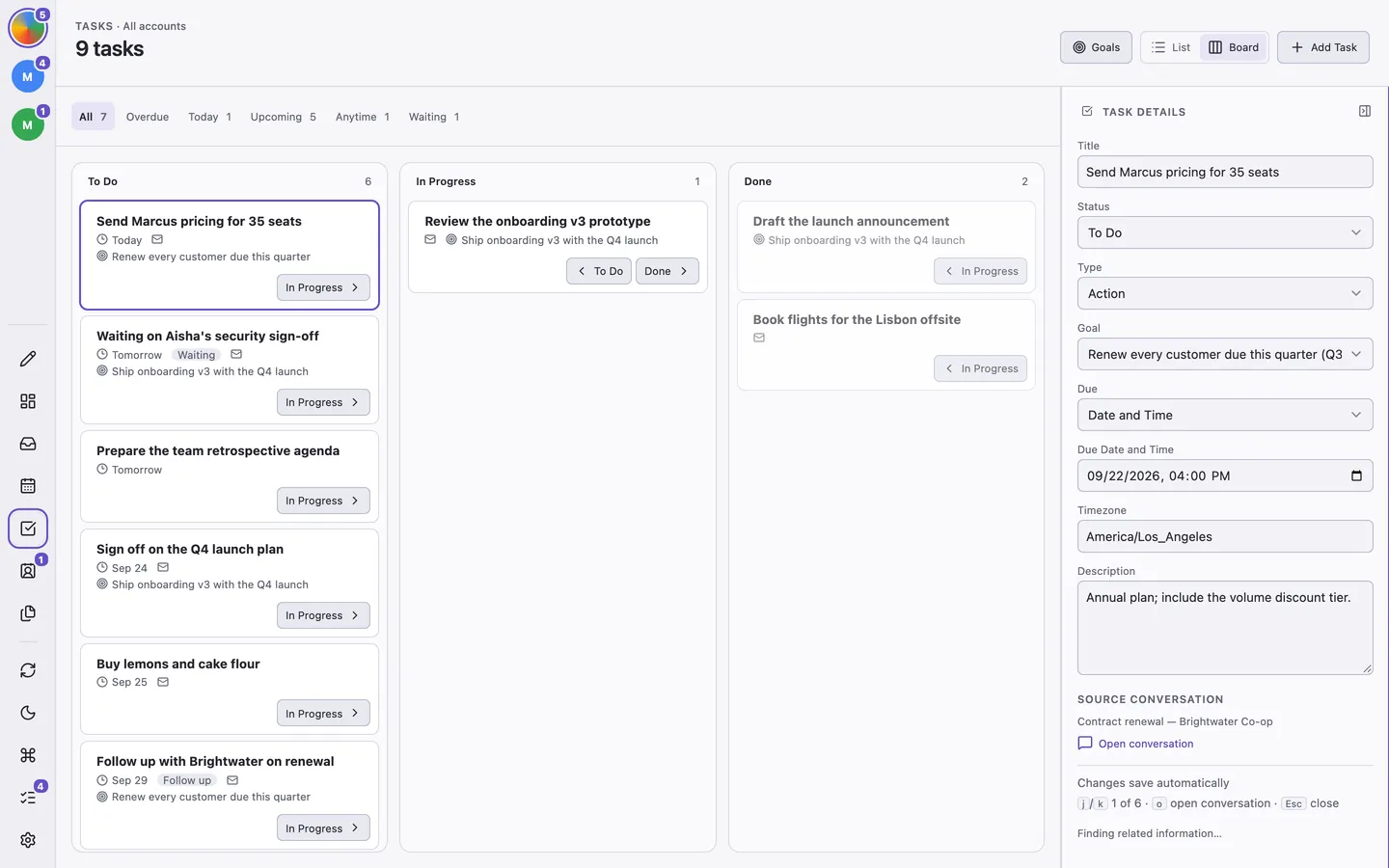
Work Through Tasks
Press v to switch between List and Board. The board has To Do, In Progress, and Done columns. Press Tab to cycle through views: All, Overdue, Today, Upcoming, Anytime, Waiting, and Completed.
| Action | Shortcut |
|---|---|
| Next or previous task | j / k |
| Open details | Enter |
| Open the linked conversation | o |
| Complete or reopen | e / Shift + e |
| Move between board columns | ] / [ |
Task details save automatically as you edit them.
To set aside time for a task, drag it from Open tasks in Calendar onto the week. See Book Time for Tasks.
Goals
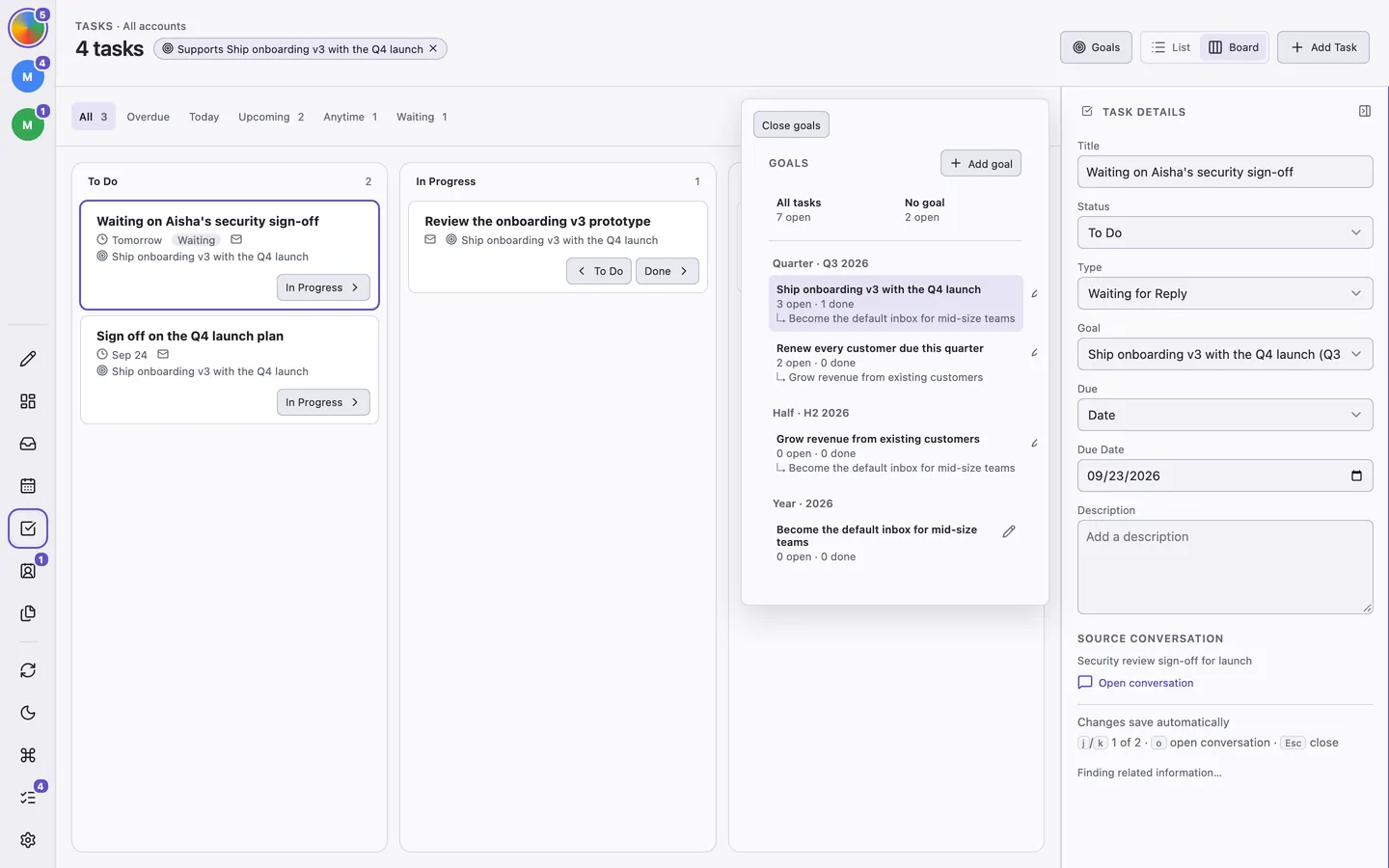
Goals give your tasks a reason. Open them with Goals or g then g, and click Add goal:
- Horizon — Quarter, Half, or Year.
- Period — such as Q4 2026, H2 2026, or 2026.
- Supports — optionally, a longer-term goal this one feeds.
Press Shift + g on a task to link it to a goal. Select a goal to see only its work, with open and done counts. A goal is marked Stale when none of its tasks have moved in three weeks.
Review a Period
When a period ends, ThreeStrands asks you to review its goals. Mark each one Achieved or Dropped, or carry it into the next period. Choose Later to put the review off for the rest of the quarter.